
How to Design Poetry Wallpaper
Asalam Aleikum
Welcome to UrduTuts Tutorial in this tutorial i will teach you How to Design Wallpaper for Poetry, before we start first we need to download stocks that are used in this design please find all stocks below,
Note: click on image to Dwonload.
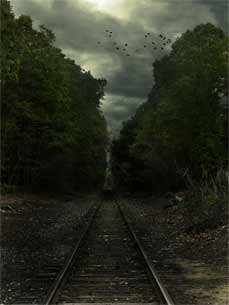

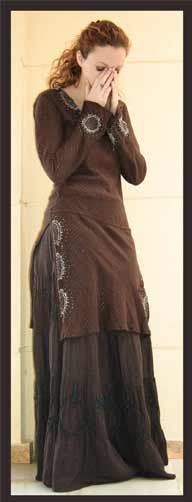
Step One: crop the Boy & girl image to use on our Background like the image blow.

Download Cropped Image:
https://urdututs.com/tutorials/poetry/cropped.rar"]
Step Two: Place boy & girl images on background and resize it by pressing Ctrl+T (Free Transform) like the image shown below.

Step Three: Now we need to make a Shadow on girl and boy images Hold Ctrl one the Girl image Layer and press Left click to make a selection then create new layer by press this  icon from the bottom of the layers penal and fill it to black color.


Step Four: Now Predd Ctrl+D to Deselect the selection and then presss Ctrl+T to transform right click to change Free transform to Distort and set it like image shown below.
Note: Make Sure the shadow layer is underneath to girl layer.

Step Five: after setting the shadow down now time to give some effects that makes it to look like shadow , down the Opacity 40% , and give it blur 4.5 or 5.0 then it look like the image shown below.

Note: Do the same thing with boy image to apply shadow.
Step Six: now lets apply some color textures Fist make a tow new layers and fill it first to this color #274772 and second to this #ff9100 set the #274772 layer to color dodge and opacity 45% and the second #ff9100 to Soft Light and opacity 56% the the image look like image shown below.

Now Download the Metal Texture and set it to Soft Light. 
Step Seven : now select all layers and make it one by pressing Ctrl+E then go to Filters and click on Oil Paint and set the values show below in image .

Note: This Effect is only Available in Photoshop Cs6
Step Eight: now write poetry you like by using Google Transliterate or Inpage .
Google Transliterate Tutorial Available here

Download PSD
4 comments